
Turn Your Visuals into Reality with Image Enhance
The new Renoworks feature that enhances your designs with AI.
Impress homeowners. Win more jobs.
How It Works
Enhance your designs in three simple steps.
1. Upload
Create or open your Renoworks project as usual.
2. Design
Apply real products from our 350+ manufacturer libraries.
3. Enhance
Use AI Image Enhance to improve lighting and shadows.
No extra editing. No new tools. Just realistic results that make homeowners say “yes” faster.
GET HOMEOWNERS TO SAY “YES”
From Basic Mockup → Photo-Real Finish
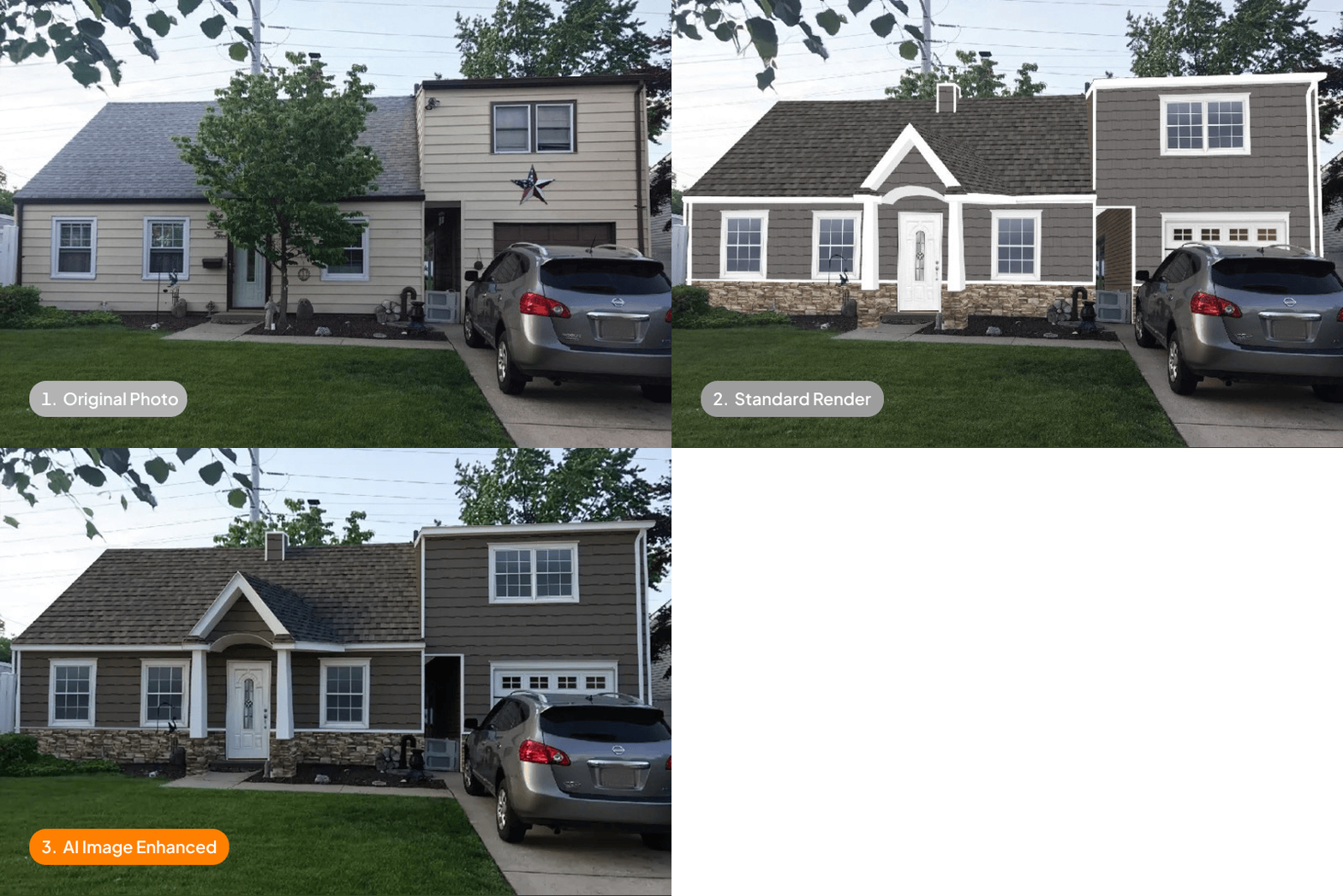
Regular visualizations show the idea. Image Enhance makes it real.
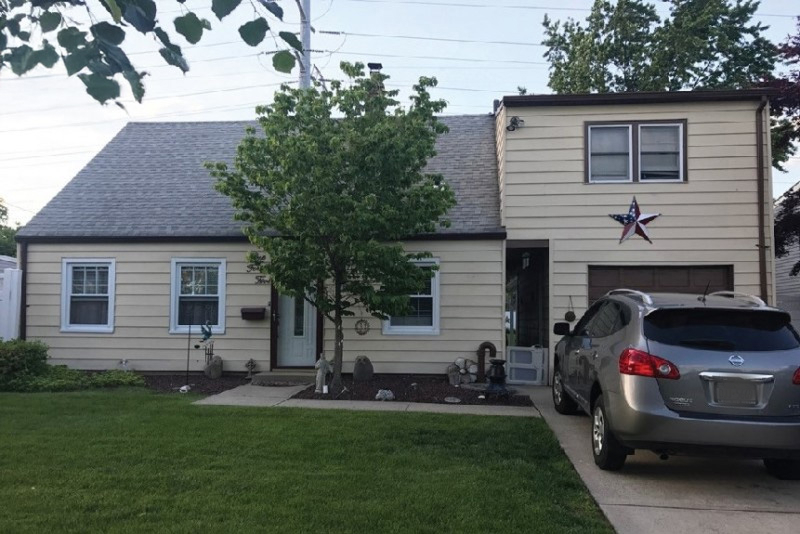
1. Original Photo
Customer’s starting point
2. Standard Render
Made with the Renoworks visualizer

3. AI Image Enhanced
Photo-realistic result
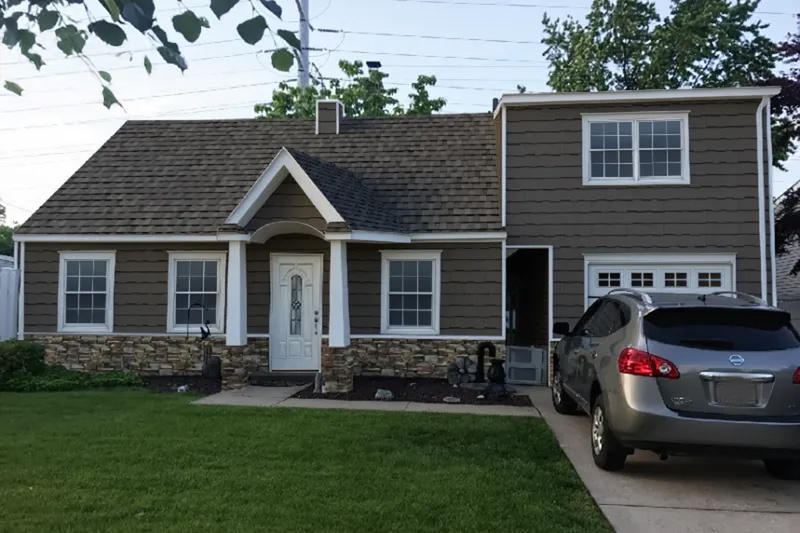
4. Actual Renovation
Final results

MADE FOR RESULTS
Why Contractors Love Image Enhance
Win More Jobs
Homeowners trust what they can see. When your designs look real, your quote wins.
Instant Realism
Enhances lighting and shadows based on where the sun appears in the photo while keeping product colors accurate.
Look More Professional
Present every project like a high-end render. Stand out from competitors using basic visuals.
Seamless Integration
Works right inside Renoworks. No exporting, plug-ins, or learning curve.
BETTER TECH, BETTER RESULTS
Not All Visualization Tools Are Equal
Most visualization tools stop at “good enough.” Image Enhance goes further combining AI realism with Renoworks product accuracy.
Competitor Visualizer
Low quality image, and less accurate colors.

Renoworks Image Enhance
More realistic without changing your products or colors.
| Feature | Competitor Visualizer | General AI | Renoworks Image Enhance |
|---|---|---|---|
|
Enhances Lighting & Shadows |
|
|
|
|
Uses Actual Manufacturer Products |
|
|
|
|
Product Color Accuracy |
|
|
|
|
Easy to Change Products |
|
|
|
Frequently asked questions
If you have any questions that aren't answered here or need more assistance, please don't hesitate to Email our Customer Success team or schedule a short meeting to discuss your specific business needs.
Image Enhance is a feature within the Renoworks visualizer that improves the realism of a visualization by enhancing lighting, shadows, contrast, and sharpness. It does not change product colors or materials.
No. Image Enhance preserves your selected product colors and materials exactly. It only improves how the existing design is visually presented.
Image Enhance analyzes the original visualization to estimate natural lighting direction, then enhances shadows, contrast, and sharpness to create a more photo-real appearance.
More realistic visualizations help viewers understand and trust the design, making it easier to engage with the result and decide with confidence.
Help Homeowners Decide Faster
Every project starts with trust. Show clients what’s possible — and get to “yes” sooner.
Trusted by 350+ brands and thousands of contractors across North America.