The short version
- Start with the bottleneck, not the AI. The best tool is the one that removes a specific source of wasted time in your painting business.
- AI can help with estimates, lead follow-up, scheduling, customer messages, job photos, and paint color decisions.
- Judge cost by what the problem is costing you, such as lost leads, slow estimates, and stalled color approvals.
- Visualization solves a different problem: homeowner indecision. Showing colors on the actual house turns a color conversation into a decision.
- Right-size your stack. A solo painter and a multi-crew company need different tools.
AI is changing how painting contractors estimate, sell, schedule, and manage jobs.
But with new AI tools appearing constantly, the challenge isn’t finding an AI tool.
It’s figuring out which tools can actually solve problems in your painting business.
For one paint contractor, the biggest bottleneck might be creating accurate estimates. For another, it might be slow lead follow-up, missed calls, or spending hours helping homeowners choose paint colors.
A growing paint company may need better CRM and job management, while a commercial painting contractor may be looking for estimating software.
The best AI tools are the ones that fit the way your business already works and remove a specific source of wasted time.
From AI-assisted estimating and automated follow-up to visualization tools that help homeowners make faster color decisions, here’s how painting contractors can evaluate the options.

What Can AI Tools Do for Painting Contractors?
How can AI tools help painting contractors win more jobs?
AI can help painting contractors streamline repetitive tasks, respond to leads faster, create estimates and proposals, and keep customer and job information organized.
For a painting business, common applications include:
- Lead generation and lead response
- CRM and customer communication
- Estimates and proposals
- Scheduling and job management
- Follow-up emails and texts
- Field documentation
- Review management
- Paint color selection
- Interior and exterior visualization
The goal isn’t to automate every part of your business.
It’s to use AI where it can make a measurable difference.
For example, an AI assistant can help draft a follow-up email or customer text in seconds. A CRM can automatically move leads through a workflow. An estimating tool can help standardize quotes and proposals.
Visualization solves a different problem.
When homeowners are trying to choose paint colors for an exterior, they aren’t necessarily asking for more information.
They want to know what their house will actually look like.
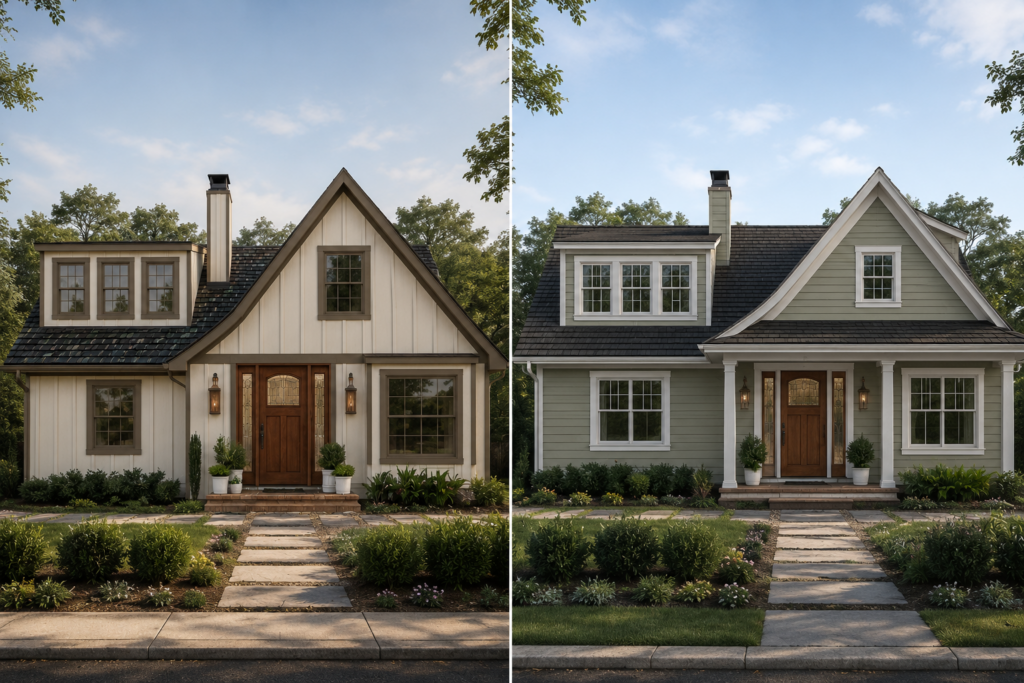
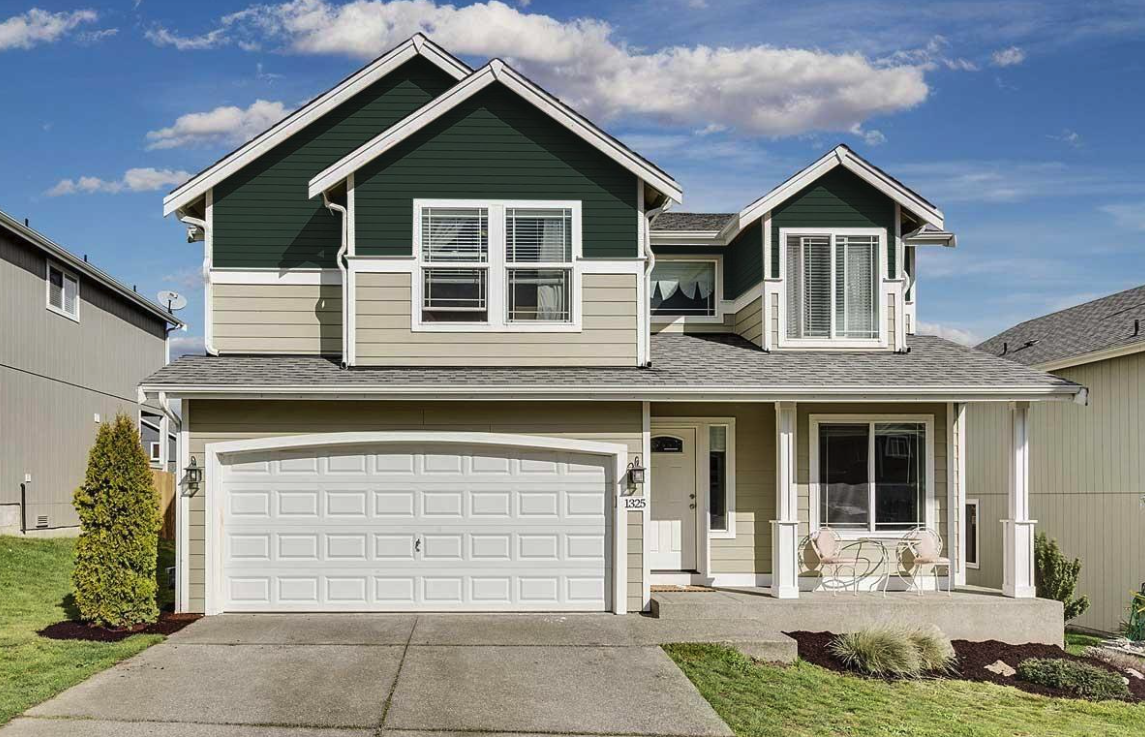
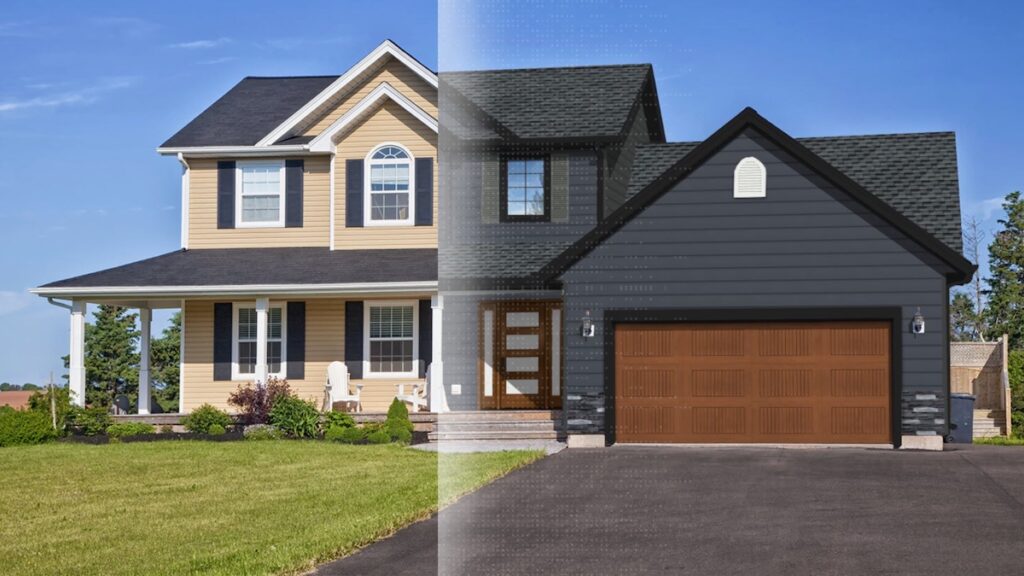
A visualizer lets a contractor show different paint colors and exterior combinations on a photo of the home.
That turns an abstract conversation about color into a visual decision, and it can help move a homeowner closer to approving the job.
How Much Do AI Tools for Painting Contractors Cost?
There is no single price for AI tools because different types of software solve very different problems.
A specialized visualization tool, CRM, estimating platform, or all-in-one contractor system can each have a different pricing model.
Instead of asking whether a tool is expensive, consider what the problem is costing your business.
For example:
- How many hours are spent creating a paint estimate?
- How many leads don’t receive a fast follow-up?
- How often does a missed call turn into a lost opportunity?
- How much time do salespeople spend answering the same questions?
- How long does it take homeowners to approve paint colors?
- How much administrative work is required to keep jobs organized?
The potential ROI of AI comes from reducing those costs.
A tool that saves an estimator several hours every week could justify its cost through time savings alone.
A visualization tool could create value by helping homeowners make decisions faster.
A CRM and automation platform could help prevent leads from falling through the cracks.
The best AI investment depends on your business’s biggest bottleneck, not how many features a software company can put on a product page.
Common Problems AI Can Solve for Painting Contractors
How do AI tools help with scheduling and job management?
As a painting company grows, managing jobs manually becomes increasingly difficult.
AI and automation can help organize information, trigger reminders, update workflows, and keep customer communication moving without requiring someone to manually manage every step.
A CRM can organize leads and customers. Job management software can connect estimates, schedules, crews, and project information. Automation platforms can connect different apps so information doesn’t have to be entered repeatedly.
For example, a workflow might automatically notify an office team when a new lead comes in, assign the lead to a salesperson, and trigger a follow-up sequence if the customer doesn’t respond.
That doesn’t mean AI replaces your team.
It can simply make sure the team isn’t spending time on tasks that software can handle automatically.
Can AI tools help painting contractors write proposals and customer messages?
Yes.
Tools such as ChatGPT and Claude can help contractors draft customer emails, follow-up messages, proposal language, job descriptions, and other communication.
An estimator could use AI to turn rough notes into a more polished proposal. A salesperson could draft a follow-up after an estimate. An office manager could create templates for common customer questions.
The important distinction is between AI-generated communication and automated communication.
AI can draft the content. Your CRM or automation platform can determine when and where that content gets sent.
Used together, they can streamline a large part of the customer communication workflow.
Win on trust.
Twenty top contractors on how they hold their price against a cheaper bid, and still win the job.
Check out the playbook →
Best AI Tools for Painting Contractors by Use Case
What are the best AI tools for painting contractors?
There isn’t one tool that is automatically the best for every contractor.
A residential painting company with three crews may have very different needs from a large commercial paint contractor.
Instead, consider these categories.
Estimating and Proposals
Which AI tools help painting contractors create faster estimates?
Estimating is one of the most obvious places where technology can save a painting contractor time.
Tools such as PaintScout, Joist, and Jobber can help contractors create estimates, proposals, pricing packages, and professional presentations.
For a paint contractor, the goal isn’t simply to generate an estimate faster.
Consistent estimating can also make it easier to deliver a professional customer experience.
Depending on your workflow, estimating software may help with:
- Creating quotes
- Building proposals
- Standardizing pricing
- Presenting project scopes
- Moving from estimate to invoice
- Keeping estimating information organized
Some businesses need a dedicated estimate software platform, while others may need a broader contractor management system.
The right choice depends on how your business handles estimating today.

CRM, Lead Generation, and Automation
If your biggest problem is leads rather than estimating, look at CRM and automation tools.
GoHighLevel, PaintScout, and Quote IQ can support lead capture, customer communication, and follow-up. Automation platforms such as n8n, Make, and Zapier can connect different apps and automate repetitive workflows.
For a service business, this can help address one of the simplest and most expensive problems: failing to follow up.
A new lead may come in while your sales team is on a job site. Someone may miss a call while talking with a customer. An estimate may be sent but never followed up on.
Automation can help create a consistent process so that leads don’t depend entirely on someone remembering the next step.
Other tools serve different operational needs. Jobber can help with scheduling and job management, while NiceJob focuses on reviews and reputation management. ServiceTitan is another platform used by larger service businesses for broader field-service operations.
The key is to build workflows around how your company actually operates.
Visualization and Client Approvals
For painting contractors, visualization can solve a very different problem: homeowner indecision.
A homeowner may have narrowed their choices down to several paint colors but still struggle to picture how each option will look on their house.
That’s where a visualization tool can help.
Interior tools such as Sherwin-Williams ColorSnap and other color visualization apps can help homeowners explore colors for walls, ceilings, trim, baseboards, and other surfaces.
For exterior painting, a paint visualizer can go further by showing paint colors on the actual exterior of a home.
That can be particularly useful when homeowners are considering an exterior repaint involving multiple colors or surfaces.
Instead of discussing whether a particular gray will work with the existing trim, a contractor can show the homeowner a visual example.
The result isn’t a guarantee of exactly how the finished paint job will look. Lighting, surface conditions, surrounding materials, and other factors can affect the final result.
But a good visualization can give homeowners something much more useful than a paint chip: a visual reference for the decision they’re trying to make.

Field Documentation and Photos
Once the job begins, AI and software can continue to help.
CompanyCam is designed around construction and field documentation, giving contractors a way to organize project photos, document progress, communicate with customers, and create reports.
For painting companies, photos can document prep work, progress, completed areas, and before-and-after results.
That information can also become valuable sales and marketing content later.
A photo showing a successful exterior repaint can help another homeowner understand what your company can do.
Documentation can also give office staff visibility into a job without requiring the owner to visit every job site.
For growing crews, that visibility can become increasingly important.
| Painting workflow | Tools to consider | Potential use |
|---|---|---|
| Estimating and proposals | PaintScout, Joist, Jobber | Quotes, proposals, pricing and presentations |
| CRM and lead follow-up | GoHighLevel, PaintScout, Quote IQ | Lead capture, customer communication and follow-up |
| Workflow automation | n8n, Make, Zapier | Connecting apps and automating repetitive steps |
| Scheduling and operations | Jobber, ServiceTitan | Scheduling, job management and field-service operations |
| Reviews and reputation | NiceJob | Collecting and managing customer reviews |
| Field documentation | CompanyCam | Job photos, progress tracking and reports |
| Writing and communication | ChatGPT, Claude | Drafting emails, follow-ups and proposal language |
| Interior color exploration | Sherwin-Williams ColorSnap | Exploring colors for walls, trim and ceilings |
| House paint visualization | Renoworks | Showing paint colors on a photo of the homeowner’s actual house |
How to Choose the Right AI Tool for Your Painting Business
What AI features should painting contractors look for before choosing a tool?
Start with the workflow, not the AI.
Match the Tool to Your Biggest Bottleneck
Make a list of the tasks that consume the most time or create the most friction.
If estimating is slow, investigate estimating software.
If lead follow-up is inconsistent, investigate CRM and automation.
If homeowners struggle with paint colors, investigate visualization.
If your team spends too much time organizing job photos, investigate field documentation software.
This approach makes it much easier to determine whether an AI tool will actually create value.
Check Whether It Fits Your Painting Workflow
A tool can have impressive AI functionality and still be the wrong fit.
For visualization, ask whether it supports the surfaces your customers actually want to change:
- Interior walls
- Exterior walls
- Siding
- Trim
- Doors
- Baseboards
- Ceilings
- Other exterior elements
For estimating, look at how the platform handles measurements, scopes, labor, materials, quotes, and proposals.
For CRM, examine how it handles leads, follow-ups, scheduling, and customer communication.
The best software fits into your existing workflow instead of forcing your painting business to completely change the way it operates.

Right-Size Your Technology
A small painting company doesn’t necessarily need the same software stack as a large commercial painting business.
A solo painter may benefit from a few specialized apps.
A growing company with multiple crews may need a CRM, scheduling platform, estimating system, and field documentation tools that work together.
Don’t assume an all-in-one platform is automatically better.
Specialized tools can sometimes solve a specific problem more effectively, while an all-in-one platform can reduce the number of systems your team has to manage.
Avoid Buying AI Just Because It’s AI
AI is not the solution to every business problem.
Before purchasing a new tool, ask:
- What will this tool automate?
- What manual task will it eliminate?
- Who will use it?
- How will it fit into our existing workflows?
- What result would justify the investment?
If the answer is unclear, adding another piece of software may create more work instead of less.
The goal isn’t to build the most complicated technology stack.
It’s to streamline the parts of the business that are slowing you down.
Frequently Asked Questions
Is GoHighLevel good for painting contractors?
GoHighLevel can be useful for painting contractors who want to organize lead generation, customer communication, and follow-up in one system.
Whether it’s the right fit depends on the size of your business, existing CRM, and how much automation you need.
Can AI help visualize paint colors?
Yes, but it is best used in the inspiration and research stage.
AI can help you understand how colors change the way a space feels and which color combinations look good together.
To get the most realistic and actionable plan, use a house paint visualizer to see how actual paint brands will look on the house you’re planning to paint.
How do AI previews help contractors win bids?
AI previews help contractors give homeowners a visual representation of the proposed project.
That’s useful because customers don’t always struggle to understand the scope of a job. They struggle to imagine the finished result.
Showing an exterior paint color on the actual home can make the conversation more concrete and help homeowners compare options before approving the work.
When customers can see what they’re buying, it can be easier to move from discussion to decision and close deals.
Can AI previews prevent change orders?
Visualizations can help establish expectations before a job begins, but they can’t eliminate every source of change.
Contractors should still have clear scopes, accurate measurements, appropriate specifications, and contract language.
A visualization is a communication tool, not a substitute for the technical details of a painting project.
Is AI visualization accurate enough for contractor use?
AI visualization can be useful for communicating design and paint color ideas, but it shouldn’t be treated as a precise representation of the finished project.
Lighting, surface texture, existing materials, photography, and other factors can affect how a color appears.
Use visualization to help clients make design decisions. Use measurements, specifications, scopes, and professional estimating processes to determine what the actual project requires.
Are paint colors in a visualizer accurate?
Paint colors in visualizers created by reputable software companies like Renoworks are provided and approved directly by the paint manufacturer, so they are as accurate as they can be on a screen.
They help provide an overview idea of which color themes to go with.
However, different lighting and textures in real life play a major part in how a paint color will look, so a final paint sample on the wall is still recommended.
The Best AI Tools Start With the Problem
The best AI strategy for a painting business isn’t necessarily to adopt the most AI-powered software available.
It’s to identify where your business is losing time, leads, or opportunities, and find technology that addresses that specific problem.
Maybe you need faster paint estimates. Maybe you need better lead follow-up. Maybe your crews need better job documentation. Or maybe your sales team spends too much time helping homeowners choose colors.
AI can help with all of those workflows, but different tools solve different problems.
Start with the bottleneck. Choose the technology that fits your workflow. Measure the result.
And when homeowners are stuck deciding what their home should look like, remember that sometimes the most useful AI tool isn’t the one that generates more information.
It’s the one that helps them see the answer.
Use the Renoworks paint visualizer to turn “I can’t picture it” into an approved color scheme.
See paint visualization →